How to Use Cursor AI: A Beginner’s Guide to Building any App
🚀 Introduction: Coding is Changing Faster Than Ever
Not long ago, building apps or websites required hours of manual coding, debugging, and documentation reading. Today, that process is evolving rapidly—thanks to AI-powered development tools.
One of the most powerful tools leading this shift is Cursor AI.
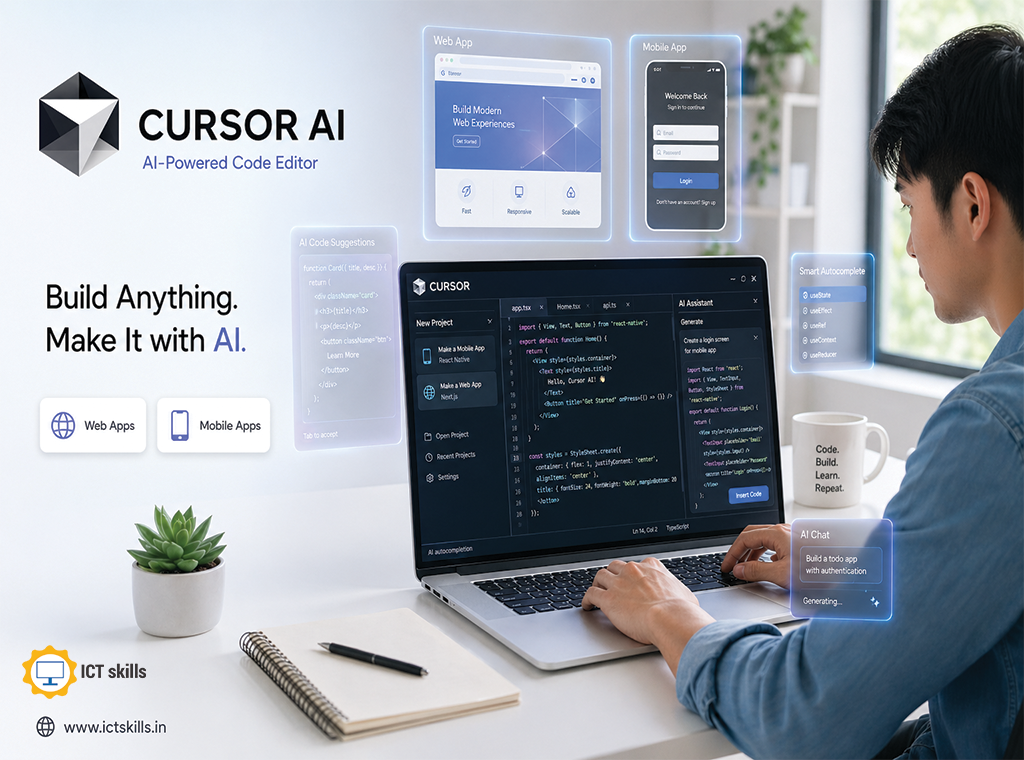
Cursor AI is more than just a coding assistant—it’s an intelligent development environment that understands your codebase, predicts your needs, and helps you build faster using natural language.
Whether you’re:
- A beginner learning to code
- A freelancer building projects
- Or a developer looking to boost productivity
This guide will show you exactly how to use Cursor AI to build apps and websites efficiently from scratch.
🧩 What is Cursor AI?
Cursor AI is an AI-powered code editor built on top of Visual Studio Code that integrates advanced large language models directly into your coding workflow.
Instead of switching between tools like:
- Code editor
- Documentation
- AI chatbot
Cursor combines everything into a single interface.
🔑 Core Idea:
👉 You write code with AI, not alone
⚙️ Key Features of Cursor AI (Deep Dive)
✨ Intelligent Autocomplete
Cursor predicts entire functions and logic blocks—not just single lines.
- Press Tab to accept suggestions
- Generates context-aware code
- Reduces repetitive typing
👉 This can save hours of development time weekly.
💬 Built-in AI Chat Assistant
You can interact with your code like a conversation:
Examples:
- “Explain this function in simple terms”
- “Fix this API error”
- “Add user authentication”
Unlike generic AI tools, Cursor understands your entire project context.
🧠 Composer Mode (Advanced AI Editing)
This is where Cursor becomes truly powerful.
Composer allows you to:
- Edit multiple files at once
- Refactor entire modules
- Generate full features
👉 Think of it as an AI developer working alongside you.
🔄 Codebase Awareness
Cursor doesn’t just look at one file—it understands:
- Project structure
- Dependencies
- Relationships between files
This leads to:
- Better suggestions
- Fewer errors
- Smarter debugging
⚡ Multi-Model Flexibility
Cursor supports different AI models, allowing you to choose based on:
- Speed
- Accuracy
- Complexity
This flexibility is useful for both beginners and advanced developers.
🛠️ Step-by-Step Guide: How to Use Cursor AI
Step 1: Install Cursor AI
- Download Cursor from its official website
- Install it like a standard code editor
- Optionally import your VS Code settings
👉 Setup takes less than 5 minutes.
Step 2: Create or Open a Project
- Start a new project folder
- Or import an existing one
Cursor will automatically:
- Scan your files
- Index your codebase
📌 This step improves AI accuracy significantly.
Step 3: Start Writing Code with AI
Try this simple workflow:
- Write a function name
- Press Tab
- Let Cursor generate the full function
👉 You’ll immediately notice a productivity boost.
Step 4: Use AI Chat for Development
Open the chat panel and try:
- “Create a responsive navbar using HTML and CSS”
- “Fix this JavaScript error”
- “Optimize this database query”
👉 Cursor responds with context-aware solutions.
Step 5: Build Your First Web App
Let’s say you want to build a simple To-Do App:
Ask Cursor:
“Create a basic todo app using HTML, CSS, and JavaScript”
Cursor will:
- Generate UI code
- Add logic
- Structure files
Then you can:
- Modify features
- Add styling
- Improve functionality
🌐 Building Real Projects with Cursor AI
Cursor AI is powerful enough for real-world projects like:
🧑💻 Web Applications
- Landing pages
- Portfolio sites
- Dashboards
📱 App Development
- Frontend interfaces
- API integrations
- Authentication systems
⚙️ Backend Systems
- REST APIs
- Database handling
- Server logic
🧠 Human Insight: What Cursor AI Can’t Do (Yet)
Let’s be clear—Cursor AI is powerful, but it has limits.
⚠️ Important Points:
- It may generate incorrect logic
- It doesn’t replace fundamental knowledge
- It requires clear instructions
👉 Think of it as a co-pilot, not an autopilot
💡 Best Practices for Using Cursor AI
✔️ 1. Be Specific with Prompts
Clear prompts = better results
Example:
- ❌ “Fix this code”
- ✅ “Fix null pointer error in login function”
✔️ 2. Break Tasks into Steps
Instead of:
“Build full app”
Try:
- “Create UI”
- “Add backend logic”
- “Connect database”
✔️ 3. Always Review AI Code
Never blindly trust output.
Check:
- Logic
- Security
- Performance
✔️ 4. Use Cursor for Learning
Ask questions like:
- “Why is this code used?”
- “Explain in beginner terms”
⚔️ Cursor AI vs Traditional Coding
Feature | Traditional Coding | |
Speed | Very Fast | Slower |
Debugging | AI-assisted | Manual |
Learning | Interactive | Documentation-heavy |
Productivity | High | Moderate |
Cursor AI vs GitHub Copilot
Feature | Cursor AI | |
Full Codebase Awareness | ✅ | Limited |
Multi-file Editing | ✅ | ❌ |
Chat Integration | Built-in | Separate |
Beginner Friendly | High | Medium |
👉 Cursor is more powerful for end-to-end development workflows.
📈 SEO & Productivity Benefits of Using Cursor AI
Using Cursor AI can:
- Reduce development time
- Improve code quality
- Accelerate learning
For freelancers and agencies, this means:
- Faster project delivery
- Higher income potential
- Better client satisfaction
🔮 The Future of AI in Development
AI tools like Cursor are shaping the future of software development.
We are moving toward:
- AI-assisted coding environments
- Faster prototyping cycles
- Reduced technical barriers
👉 In the next few years, knowing how to use AI tools will be as important as knowing how to code.
🏁 Conclusion
Cursor AI is one of the most transformative tools in modern development.
If you’re just starting:
- Begin with small projects
- Practice daily
- Learn alongside AI
If used correctly, Cursor AI can help you:
- Build apps faster
- Learn coding efficiently
- Become a more productive developer
To learn more about AI technology and tools Enroll ICT Skills India(www.ictskills.in) Today!
❓ Frequently Asked Questions (FAQ)
What is Cursor AI used for?
Cursor AI is used for writing, editing, and debugging code using artificial intelligence. It helps developers build apps and websites faster with smart suggestions and automation.
Is Cursor AI good for beginners?
Yes, Cursor AI is beginner-friendly because it:
- Explains code
- Generates examples
- Helps fix errors
However, basic programming knowledge is still helpful.
Can Cursor AI build full applications?
Yes, Cursor AI can generate complete applications, but you still need to:
- Review the code
- Customize features
- Test functionality
Is Cursor AI better than GitHub Copilot?
Cursor AI offers:
- Better project awareness
- Multi-file editing
- Built-in chat
This makes it more powerful for full development workflows.
Do I need coding knowledge to use Cursor AI?
You can start without deep knowledge, but understanding basics will:
- Improve results
- Help you debug
- Make you more efficient
Is Cursor AI free?
Cursor AI offers both free and paid plans, depending on usage and features.
What can I build with Cursor AI?
You can build:
- Websites
- Web apps
- APIs
- Full-stack applications
Is Cursor AI safe to use?
Yes, but always:
- Review generated code
- Avoid exposing sensitive data
- Follow best security practices